
A folder full of HDL files does not tell you which modules are wired into a design or how deep it goes. That is the question an evaluator actually has before RTL delivery, and it is the one Studio answers: it presents the hierarchy a WIOWIZ design actually builds, with the module names and how they connect, while the source text stays home. You inspect it without opening RTL or installing a tool.
Wired in, not just listed
The tree Studio shows starts at a design top and follows module instances. A file that sits in the repository but is never instantiated from that top does not appear as a child. That is the difference between architecture and a directory: the former is what the design builds, the latter is what happens to be on disk. Selecting a block moves you from the whole system into its own module tree.
Inside the CPU
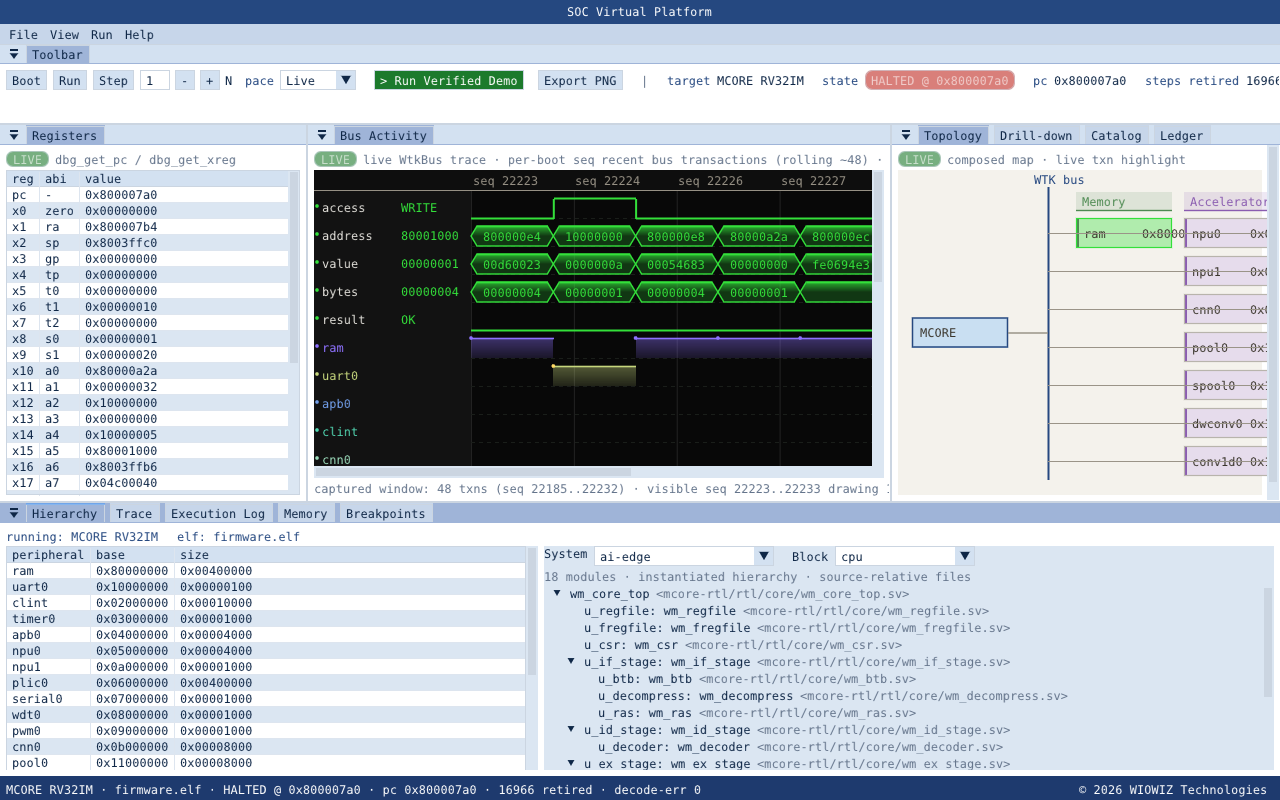
Select the AI Edge system, block cpu, and the MCORE control core opens as 18 reachable modules:
- integer and floating-point register files;
- CSR and privilege control;
- fetch and decode stages;
- execute, memory and writeback stages;
- decompression, hazard handling, branch prediction and return-address stack.
Beside each module is a filename relative to the design family. It says where a module belongs without opening its contents and without exposing a development-machine path. This is the same core that booted the firmware in chapter one; here you are reading its shape rather than its execution.
Depth, by the count
The same selector opens the module structure of the larger blocks. These are navigable trees, not names added to a catalogue row:
Each number is a tree you can expand, node by node, to the leaf modules. A block diagram claims a PCIe endpoint exists; a 28-module hierarchy shows what it is built from.
A 139-module sensor-fusion system
The deepest tree in the release is our full sensor-fusion SoC, DeepFuse. Selecting it opens 139 modules that connect four processing regions into one system:
- camera ISP and pixel-processing stages, and the ISP-to-CNN bridge;
- the CNN accelerator with its control, processing array and feature buffers;
- the radar processing and detection path;
- sensor synchronisation, fusion and the decision output structure.
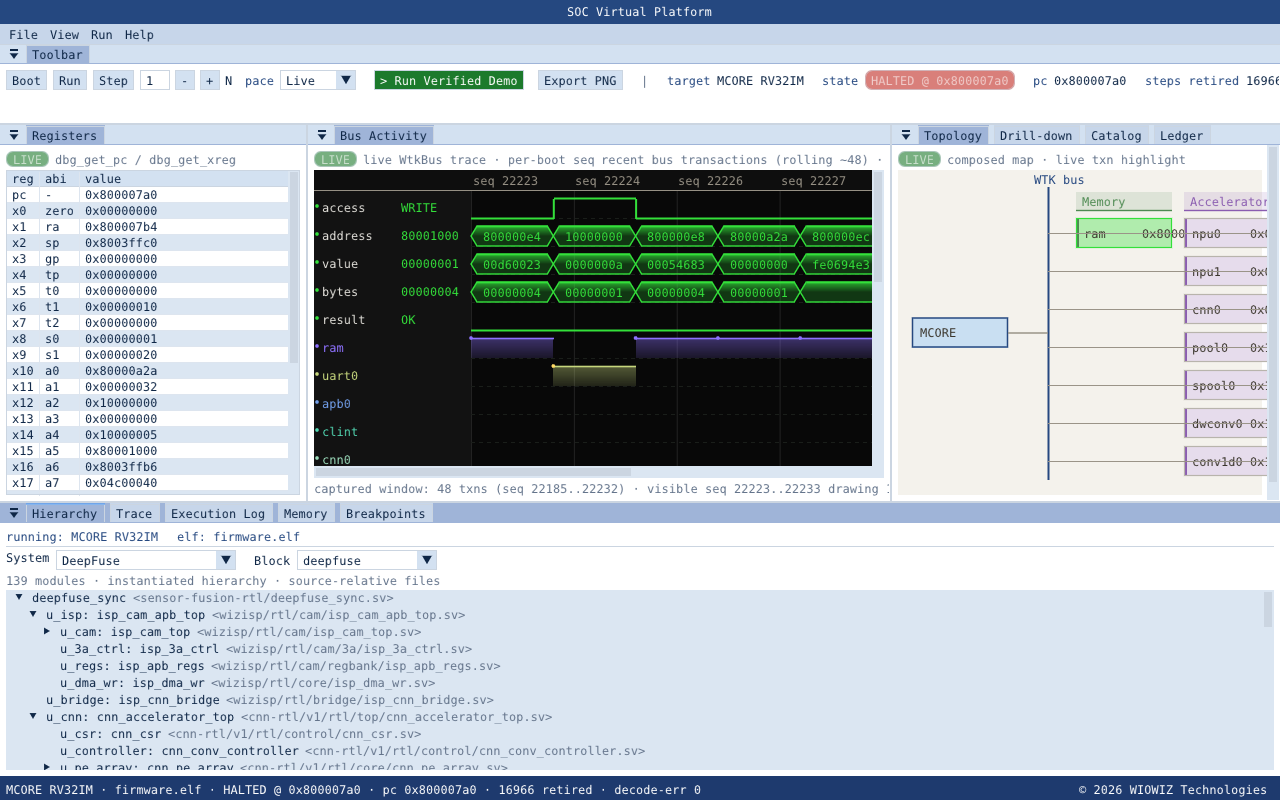
One distinction matters here. This is architectural inspection of the 139-module tree. The upper Studio panels in the same window hold the portable AI Edge session that is executing; opening this hierarchy does not claim the sensor-fusion system is running inside the portable package. It lets a reader see how camera, CNN, radar and fusion are connected as one SoC.
Where the boundary is
What Studio includes: module names, instance relationships and short source-relative filenames. What it does not include: RTL text, algorithms, absolute paths, internal project names, netlists or timing data. That line is deliberate and it is what makes the view shareable. An evaluator can inspect the architectural depth, from an 18-module CPU pipeline through a 139-module sensor-fusion system, before source delivery or an EDA setup is ever discussed.
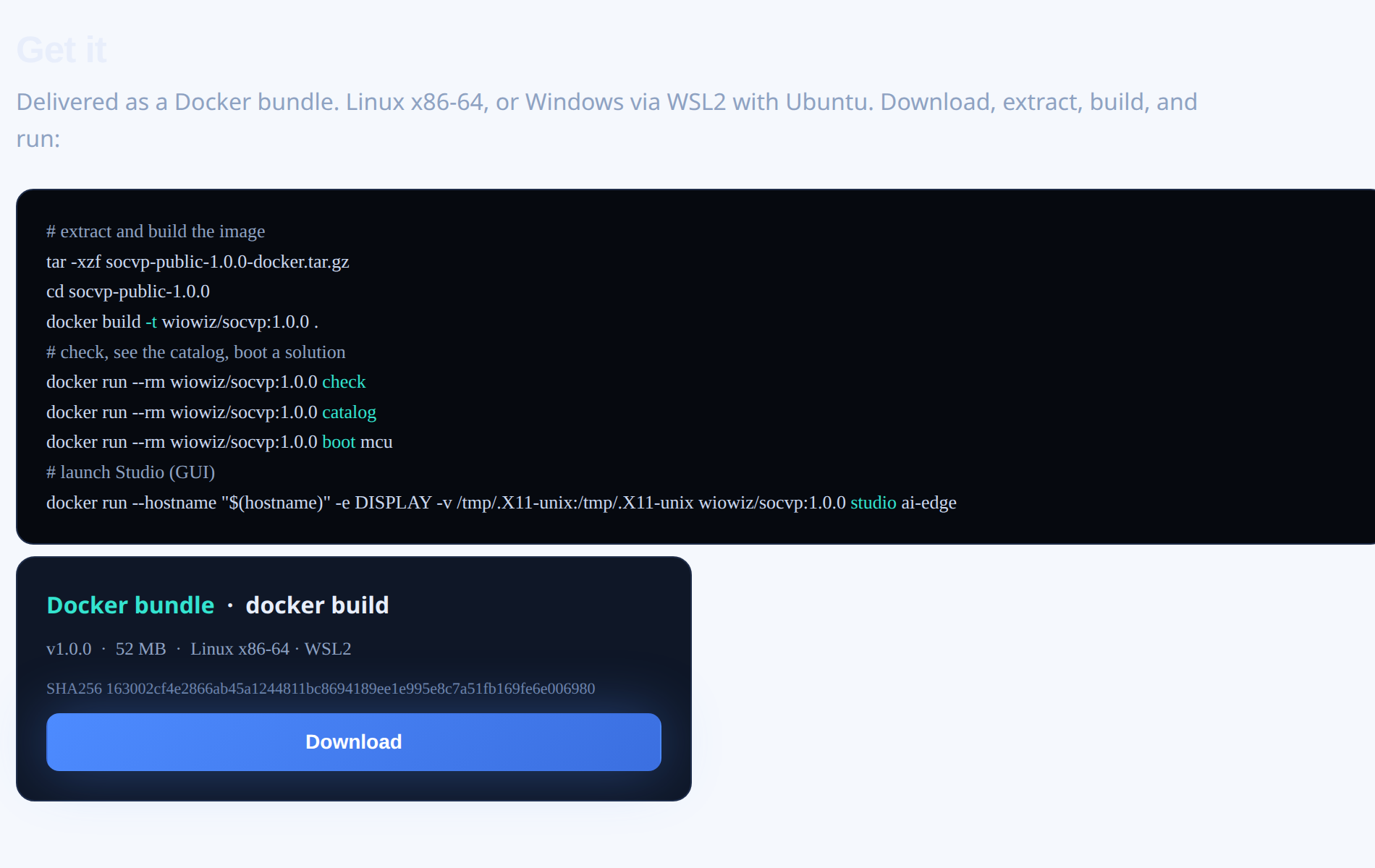
Download socvp
socvp is available now. It ships as a Docker bundle from the WIOWIZ website - download it, build the image, and run the boots in this article.
Our Approach
We're building systems that think about specifications the way engineers do.
We build our own in-house EDA with an intelligence layer across it. Our stack covers the full flow,
from spec to comprehensive sign-off, on tools we build and control.
Walk-in ones, walk-in zeros