
The first four chapters ran systems WIOWIZ assembled. This one builds a new one from the same parts. The point is not a wizard that emits a diagram; it is a project you can compile and boot, using a toolchain that travels inside the package so a fresh machine with nothing installed can still produce a running SoC.
One command composes a project
Name the blocks you want and socvp writes a project around them:
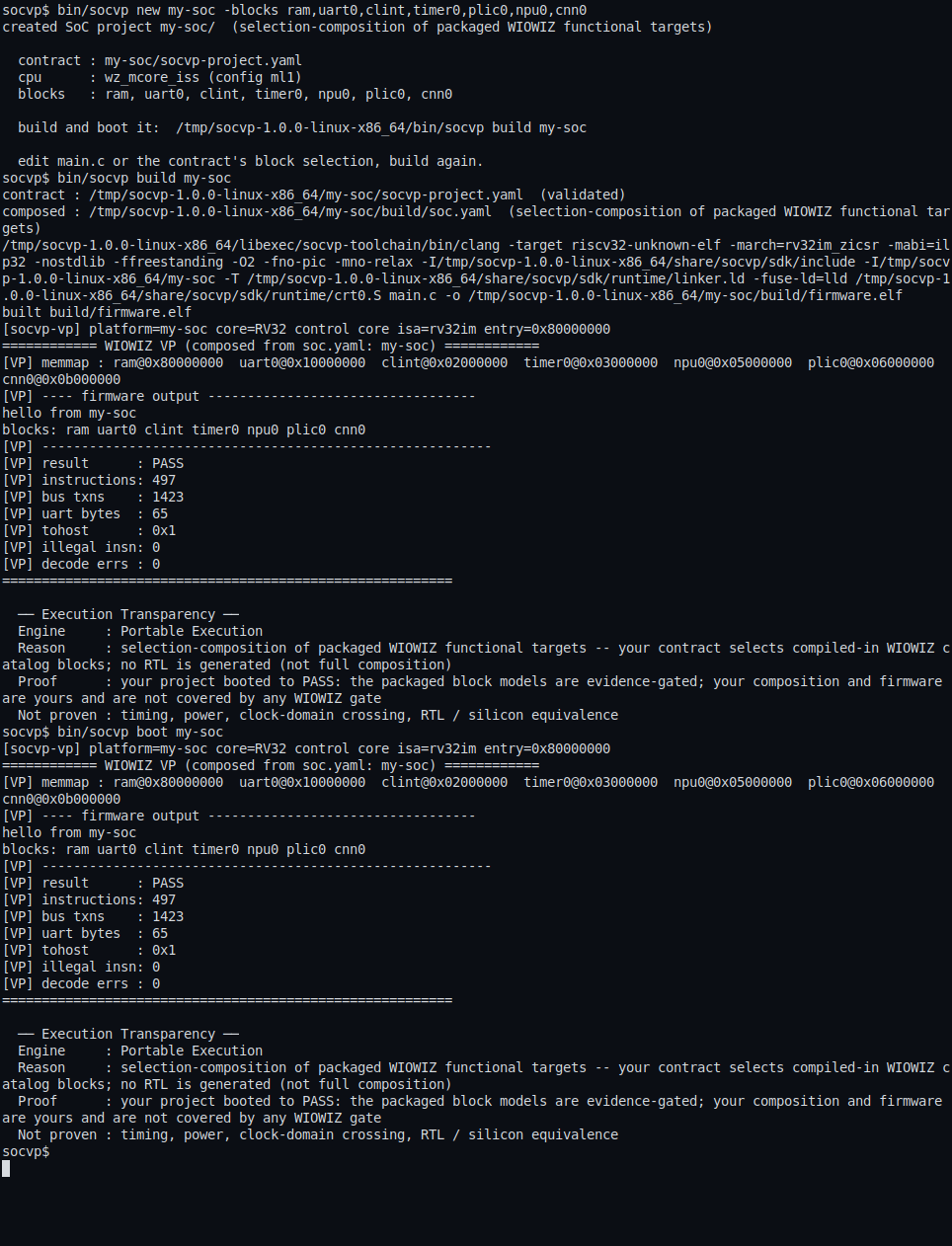
$ bin/socvp new my-soc -blocks ram,uart0,clint,timer0,plic0,npu0,cnn0
The generated project is not a stub. It contains a versioned SoC contract (socvp-project.yaml), firmware source, register headers generated from the block set, a build entry point and output directories for the compiled program. The headers keep firmware names and addresses aligned with the manifest, so the code you write refers to the blocks you chose by name.
Build with a compiler you did not install
$ bin/socvp build my-soc
The build uses the compiler and linker supplied with socvp, at libexec/socvp-toolchain. It does not look for a compiler on the host and does not fail on a machine that has none. That is the same property the whole package is built on: no EDA tool, and now no build toolchain, has to be present before you get a result. Reproducibility runs the other way too, the shipped archive verifies its own files and the toolchain inside it is fixed, so two machines build the same firmware.
Boot what you built
$ bin/socvp boot my-soc
The composed system boots exactly like the packaged ones. The my-soc project above, a RISC-V core with RAM, UART, timer, interrupt control and the NPU and CNN blocks you selected, reports its own receipt:
[VP] result      : PASS
[VP] instructions: 497
[VP] bus txns    : 1423
[VP] uart bytes  : 65
[VP] illegal insn: 0
497 instructions over 1,423 bus transactions, UART output produced by your firmware's own writes, and zero illegal instructions. The project you composed is held to the same standard as the systems earlier in this series: it either boots and checks out, or it does not pass.
Change it and go again
Open the generated firmware source, add the register operations for the blocks you selected, and build again:
$ bin/socvp build my-soc
$ bin/socvp studio my-soc
The generated headers keep firmware names and addresses aligned with the project manifest as it changes, and Studio opens your build with the same registers, bus activity, topology and hierarchy as any packaged system. The loop closes where the series began: a catalogue choice becomes a compiled firmware project that boots and checks its own result, in the same WIOWIZ vocabulary as the systems you started from.
Today you compose from WIOWIZ parts. Where we want to take socvp is to let you drop in a block of your own, and in time a whole SoC, and boot it the same way, so that trying a design does not wait on a licence or a setup day. That is the easier path we are building toward, one step at a time.
Download socvp
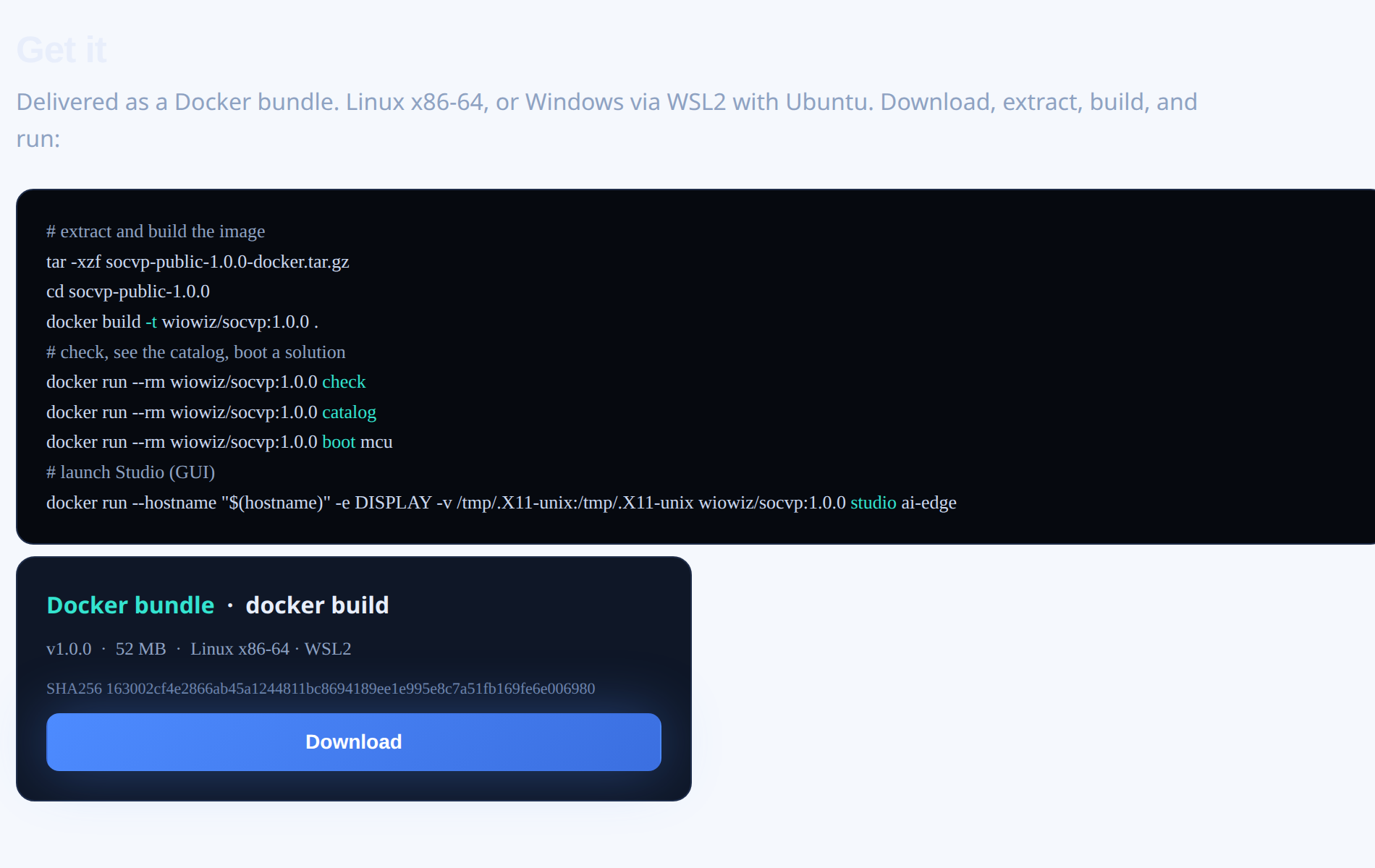
socvp is available now. It ships as a Docker bundle from the WIOWIZ website - download it, build the image, and run the boots in this article.
Our Approach
We're building systems that think about specifications the way engineers do.
We build our own in-house EDA with an intelligence layer across it. Our stack covers the full flow,
from spec to comprehensive sign-off, on tools we build and control.
Walk-in ones, walk-in zeros